Retro64 Emulator
- 4.3
- Rating
- 1.00M
- Installs
- Free
- Price

 Analysis by App-foxy
I approached Retro64 Emulator as a practical way to revisit 64-bit-era games on a modern Android device, rather than as a replacement for every dedicated gaming setup. Its appeal is easy to understand: it is a free arcade game app built around emulation, and it gives people who already own compatible game files a compact route back to older experiences. After spending time with it, my view is positive but measured. The app is most convincing when convenience matters more than a long list of advanced controls.
The short version is that Retro64 Emulator is worth trying if you want a straightforward entry point into 64-bit gaming and your phone runs Android 6.0 or later. It has attracted more than a million installs and holds a 4.4 average from roughly sixteen thousand ratings, which suggests that its basic idea works for a broad audience. Still, those figures should not be mistaken for a guarantee that every game will behave perfectly on every device. Emulation depends heavily on the phone, the game, and the way the user prepares the files.
What the emulator does well in everyday use
The strongest part of the experience is its clear purpose. Retro64 Emulator is not trying to be a general-purpose media tool or a modern multiplayer platform. It focuses on running 64-bit games, placing the emphasis on access to older software through an Android device. That narrow focus makes the app easier to understand than many emulators that present a crowded wall of technical settings before the first game even starts.
You May Also Like

 Blood Strike: 2.5 Anniversary
Blood Strike’s Loadouts Turn Every Drop Into a Tactical Gamble
A close look at Blood Strike’s custom loadouts: how fast access to signature weapons reshapes its battle royale rhythm, rewards preparation, and narrows the gap between fights.

 Pandora - Music & Podcasts
Pandora’s Music Is Easy to Start, but Harder to Recover
Pandora’s strength is its low-effort path from a seed to a station. Its weak spot is how much confidence it asks you to place in connection, setup, and quiet recovery.

 8 Ball Pool
 Is Built on Rivalries, Rematches, and Routine
A close look at the rivalries, rematches, shared routines, and unanswered safety questions that turn a quick pool match into a persistent mobile community.

 Samsung Music
’s Quiet Strength Is Playing What You Already Own
Its reach comes less from spectacle than from dependable access to a personal library. That simplicity is both the app’s strongest retention engine and its ceiling.

 AccuWeather: Weather Radar
AccuWeather Review: A Quick, Clear Forecast for Everyday Decisions
For everyday plans, the best forecast is the one you can understand quickly. AccuWeather makes rain timing, radar, and local conditions easy to act on, with a few trade-offs.

 Hill Climb Racing
Why Hill Climb Racing Still Turns Crashes Into One More Run
A tiny car, a bumpy hill and one more upgrade: Hill Climb Racing keeps resurfacing because its simple chaos makes every near-miss feel personal.
More From Our News Desk



In my use, the most useful quality is portability. A phone is already something I carry, so a short session does not require a console, television, or separate handheld. I can imagine using it during a commute, while waiting for an appointment, or at home when I want a quick nostalgic session without setting up older hardware. That convenience is the real reason to choose this app over a traditional console, not the expectation that a phone will reproduce every part of the original experience perfectly.
The free entry point also makes experimentation less risky. You can install the app and decide whether its handling suits you before spending anything. The age rating is Everyone, which makes the presentation approachable for a wide audience, although parents should still consider the age suitability of the individual games being used with an emulator. The app itself may be broadly accessible, but the content launched through it is what determines whether a particular session is appropriate.
Retro64 Emulator comes from developer Sahlaoui Mustpha, and the current release is version 2.2.1. Those details matter mainly because they give users a clear reference point when checking compatibility or discussing behavior with other players. If two people report different results, the phone model, Android version, game file, and app release can all affect the outcome. I would record those basics before assuming that a problem is universal.
One practical strength is that emulation encourages flexible play. A user can keep a small selection of favorite titles available instead of carrying physical cartridges or connecting older hardware. That makes the app particularly attractive to someone who values quick access and does not need a living-room setup. It is also useful for people who are curious about a particular era of gaming but do not want to buy a second-hand console before knowing whether the games still appeal to them.
Small habits that make the experience smoother
My first recommendation is to organize game files before opening the emulator repeatedly. A simple folder structure with clear names saves time later, especially on a phone where browsing through poorly labeled files is awkward. Keeping one test game available is useful too. If a new setting or update changes behavior, that familiar title gives you a consistent way to check whether the issue comes from the app, the device, or a particular game.
A second useful habit is to test controls during a quiet section of a game instead of judging them during a difficult encounter. Touch controls can feel acceptable for exploration and menus but less comfortable when a game demands precise movement or several buttons at once. If the app supports your preferred controller setup, that may change the experience considerably; if it does not, a game that was enjoyable on physical hardware may become tiring on a touchscreen.
I also suggest treating battery and heat as part of the decision, even though these are not unique to this emulator. Older games may be less demanding than current three-dimensional releases, but emulation still asks the phone to reproduce another system’s behavior. A short session is a sensible starting point. If the phone becomes warm, the screen dims, or performance changes after extended play, that is a sign to adjust expectations rather than assume the game itself is defective.
Another overlooked point is screen shape. Older games were designed around displays and controls that do not match the tall screens found on many current phones. Stretching the image may fill more of the display, but it can make the picture look less natural. Preserving the original proportions usually gives a better visual result, even if it leaves unused space at the sides. I prefer a smaller, correctly shaped image to a larger one that makes characters and environments look distorted.
These choices are not glamorous, but they separate a comfortable session from a frustrating one. Retro64 Emulator is easier to enjoy when the user accepts that emulation is a setup process, not simply a matter of tapping an icon and expecting every title to behave identically. The app provides the doorway; the quality of the visit depends on the device, controls, files, and game selected.
Where the convenience starts to weaken
The main limitation is that an emulator cannot remove the technical uncertainty built into the format. A game may run smoothly while another shows graphical errors, awkward controls, or inconsistent performance. I would not choose Retro64 Emulator for a specific title without allowing time to test it first. That is especially important if you are planning a long playthrough and do not want to discover halfway through that a key scene or control does not work as expected.
Touchscreen play is another meaningful compromise. Virtual buttons can be perfectly adequate for slower games, menu navigation, or casual experimentation, but they do not provide the same tactile feedback as a physical controller. My thumbs can cover part of the screen, and holding several virtual buttons at once feels less natural than using dedicated hardware. Players who care about precise timing should consider this before making the app their main way to play.
The app also requires a responsible approach to game ownership. An emulator is software for interpreting compatible games; it is not a substitute for obtaining those games legally. I would use only files I am entitled to use and avoid downloading unknown packages from questionable sources. That protects both the user and the phone, and it prevents a technically useful app from becoming tied to unsafe or unauthorized downloads.
There is also a learning curve for people who have never used emulation. File locations, controller mapping, display proportions, and game-specific behavior can feel like unnecessary work when someone simply wants to play. Retro64 Emulator is more approachable than a highly technical desktop setup, but it is still not as effortless as launching a game from a modern console storefront. That difference is important for a first-time user who expects everything to be automatic.
The in-app purchase model deserves a quick mention as well. The app is free to install, while in-app items are listed at $3.99 each. I would not pay for an item until I had confirmed that the free experience works well on my device and with the games I intend to use. The free starting point is helpful, but users should still pay attention to purchase prompts and decide in advance whether optional spending adds enough value for their particular use.
Compared with a dedicated console, Retro64 Emulator wins on portability and low initial cost, but loses the simplicity of physical controls and predictable hardware. Compared with a desktop emulator, it is more convenient for short sessions but usually offers less room for a large screen, keyboard shortcuts, or detailed configuration. Compared with a modern mobile arcade game, it offers a different kind of appeal: older game design and familiar hardware-era experiences rather than touch-first mechanics and current presentation.
Who should install it, and who should look elsewhere
I think Retro64 Emulator is a good match for nostalgic players who already know what they want to revisit. It is also suitable for curious newcomers who are comfortable doing a little preparation and testing. Someone with a recent Android phone, a compatible controller, and legally obtained game files is likely to get the most from it. The minimum operating-system requirement is Android 6.0, so people on older devices should check compatibility before planning around the app.
A realistic scenario would be a player who has a free evening but does not want to unpack an old console. They install the emulator, prepare one familiar game, connect a controller if available, and spend twenty minutes checking the image, sound, and controls before settling in. If everything feels stable, the phone becomes a convenient secondary gaming device. If the controls feel cramped or the title behaves poorly, the player has learned that a dedicated console or desktop setup is the better choice without committing to a long session.
I would be more cautious about recommending it to someone who wants a completely plug-and-play experience. If your priority is instant access, guaranteed compatibility, and no file management, a current console or an official collection may suit you better. The same applies to competitive players who need consistent input response. Even a small amount of control friction can matter when success depends on precise timing.
It is also not the ideal choice for someone whose main interest is modern mobile gaming. Retro64 Emulator does not replace games designed specifically for touchscreens, nor does its appeal come from current online features or contemporary presentation. Its value is tied to older 64-bit software and the freedom to carry that experience on Android. If that idea does not interest you, the app’s central advantage will not feel important.
For families, the Everyone rating makes the emulator itself approachable, but I would still review each game before handing over the phone. The rating of the tool should not be treated as a rating for every piece of software used with it. I would also establish a simple rule about purchases, since optional items cost $3.99 each and children may not understand that a free installation can still include paid content.
One of the more useful ways to judge the app is to ask what kind of problem it solves. If the problem is “I want to replay a particular older game while traveling,” it can be a sensible answer. If the problem is “I want the most polished and reliable way to play this game,” the answer may be different. A physical system, official re-release, or desktop setup can offer a more controlled experience, even when it is less convenient.
My verdict after weighing the trade-offs
Retro64 Emulator succeeds because it keeps a specific idea accessible: bringing 64-bit gaming to Android without charging an entry fee. Its strong rating and large install base reflect genuine interest, and I can see why the app appeals to people who want a portable route into familiar games. The developer has positioned it in a useful space between casual mobile play and more involved emulation setups.
My recommendation comes with a clear condition: approach it as a flexible tool, not as a promise that every game will be flawless. Test your chosen title, organize your files, preserve the image proportions, and use a physical controller when precision matters. Those steps make a bigger difference than simply installing the latest version and hoping for the best.
Retro64 Emulator is best for patient retro players who value portability more than absolute simplicity. I would recommend trying the free version to anyone with a compatible Android device and a legitimate library of games. I would skip it if you need guaranteed compatibility, console-level controls, or a fully automatic experience. For the right audience, though, it is a practical and approachable way to turn an Android phone into a small retro gaming companion.
FAQs for Retro64 Emulator
01What is Retro64 Emulator and how does it work?
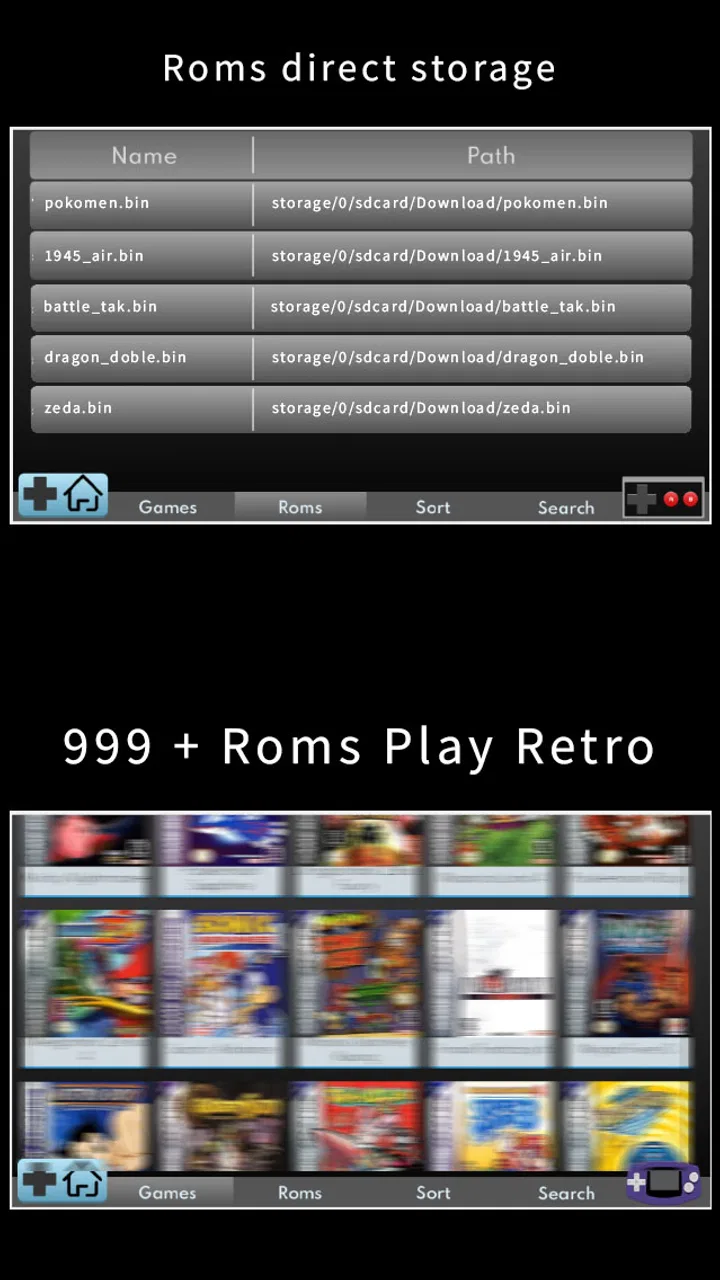
Retro64 Emulator is an application that allows users to play classic games from older gaming consoles directly on their Android or iOS devices. It works by emulating the hardware of these consoles, enabling you to run ROMs (game files) of your favorite retro games. This provides a seamless gaming experience reminiscent of the original platforms.
02Is Retro64 Emulator legal to use?
Using the Retro64 Emulator itself is legal. However, the legality of the ROMs you use depends on your ownership of the original games. It is generally considered legal to use ROMs if you own a physical copy of the game. Always ensure you comply with local laws and copyright regulations when using ROMs.
03What features does Retro64 Emulator offer?
Retro64 Emulator offers a wide range of features including customizable controls, save states, and support for various file formats. It also includes high compatibility with a large library of games and options for adjusting graphics and sound settings to enhance the gaming experience. Multiplayer support and cheat code integration are also available.
04Are there any compatibility issues with Retro64 Emulator?
While Retro64 Emulator is designed to support a wide variety of games, some may not run perfectly due to differences in hardware and software emulation. However, the developers regularly update the app to improve compatibility. It's advisable to check online forums or the app's support page for specific game compatibility information.
05How user-friendly is Retro64 Emulator for beginners?
Retro64 Emulator is designed with user-friendliness in mind, featuring an intuitive interface that is easy to navigate. Beginners will find it straightforward to load games and configure settings. Additionally, there are numerous online tutorials and community forums that can provide guidance and troubleshooting tips for new users.
Pros
- Supports a wide range of retro games.
- Offers customizable control settings.
- Smooth performance with minimal lag.
- User-friendly interface for easy navigation.
- Regular updates with new features.
Cons
- Requires separate ROM downloads.
- Ads can interrupt gameplay.
- Limited free version features.
- Occasional bugs with certain games.
- Not all controllers are supported.

Retro64 Emulator
Gallery